Showing posts with label workshops. Show all posts

Sunday, August 5, 2012

Cape Cod

Old SIlver Beach, Cape Cod, iPhone4 Image
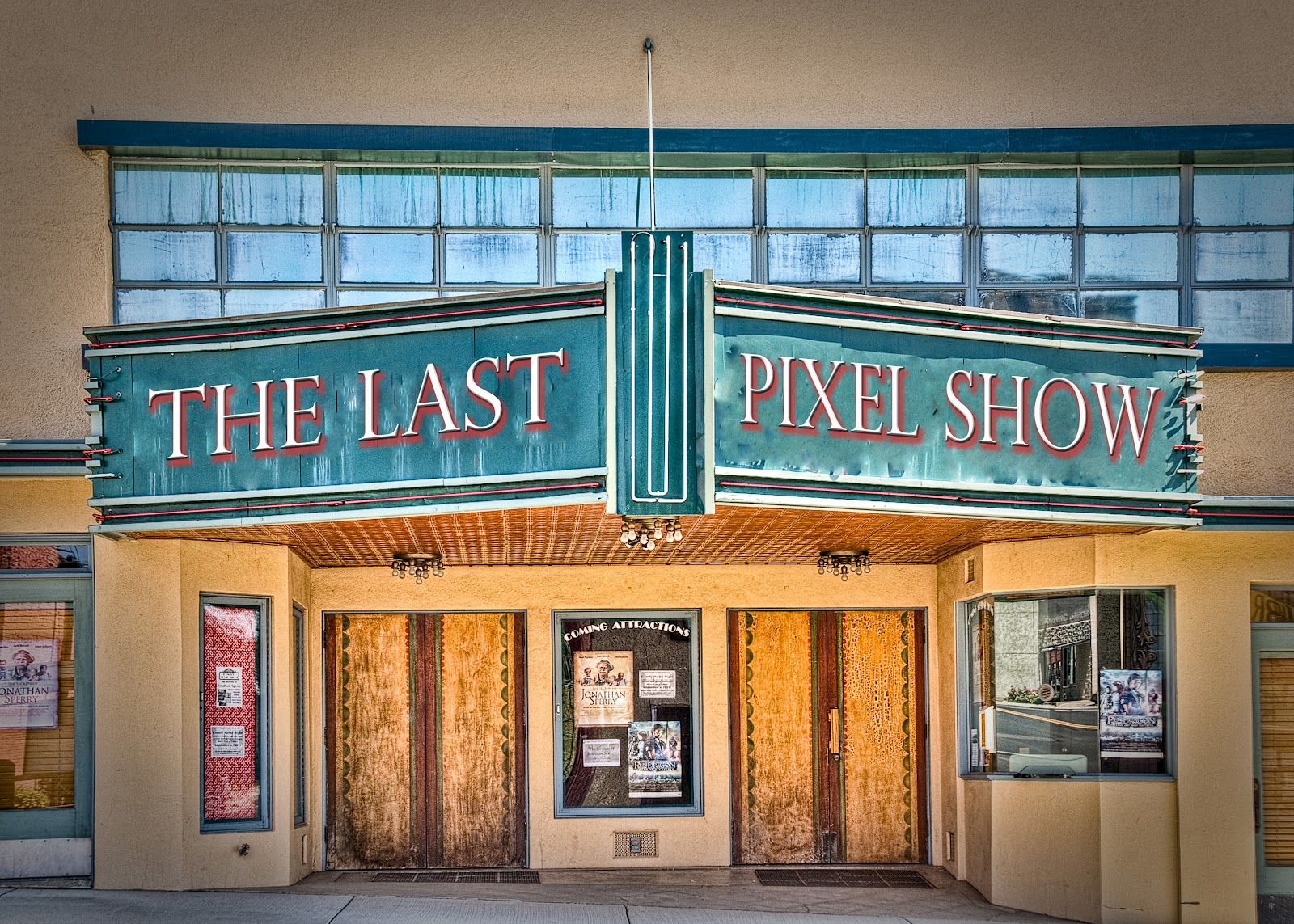
Driving up to Cape Cod on Tuesday. Teaching a two day iPhone Workshop at Cotuit Center for the Arts.  If interested there is one spot open in this workshop - use the link above and scroll down to The Last Pixel Show workshop paragraph.

There is also a spot open in the Last Pixel Show Palouse workshop, August 17-20. Click on the link above for more detail.

Both workshops will cover printing your iphone images.

Wednesday, June 20, 2012

Scotland, Church with Blue Bicycle

Edinburgh, Scotland
Yesterday a friend asked me why I process iPhone images on ,my laptop when most folks are using the iPad and iPhone.  I told him there were several reasons and have listed them below:

1. Pro Photo color space - largest color space
2. 16 bit image - more tones and shades
3. Use of available third party software - so many to choose from
4. ease of posting to various social media quickly - using Lightroom4
5. Digital asset management - folder structure using Lightroom4
6. Ability to sharpen for print in a way that fits my vision of the image

When I first started making images using my iPhone I always processed on the iPhone, and later on the iPad. I am not against using these mobile devices for processing and actually do when in the field. It is simply a matter of choice that I use my big boy computer whenever I have the choice.

My good friend Teri Lou Dantzler is doing really great work using only her iPad and iPhone. She trekked through Nepal and placers east without carrying a big girl camera - something I would never consider doing - both the trek and not carrying at minimum a point and shoot.

And now for the shameless promotion part of this blog. Teri Lou and I are teaching together under the name The Last Pixel Show. I mention this because we are so different in how we use iPhone photography that one can learn several approaches to this genre of photography at one of our destination workshops. We shoot, talk, process and on the last day we print. Check out The Last Pixel Show by clicking on the link above. The next workshop is August 16-20 at The Palouse in Washington State - we have 4 places open....


Saturday, March 10, 2012

Why I Love my iPhone/iPad

New Logo for The Last Pixel Show Workshop

8MP camera and can be more with proper handling
alarm clock
black and white images
blending
blogging
skypeing
calendar
receive calls on my camera
camera choices
composite capability
camera placement
creativity
currency exchange rates
darkroom in the pocket
depth of field calculator
e-books
flights
restaurants
GPS
HD Video
HDR
image adjustments
infrared camera
IOS Synching
translator
maps
model releases
panoramics
pass time on long flights
paytpal
the square for credit cards
prints
retouching
screen captures
selections
sharing
sunrise - sunset
transfer images
you can talk to it -
it talks back
viewfinder for bli boy/girl cameras
visual diary

The iPhone is a Polaroid camera and swiss army knife all rolled into one body.... And I have just touched the surface with this list...

The Last Pixel Show runs several types of workshops to help you get creative with your iPhone and iPad...you can like us on FACEBOOK.

Wednesday, March 7, 2012

New York, IAC Building

Frank Geary IAC Building
The Frank Geary IAC building on the west side of New York is always a visual treat. Yesterday I was driving into the city for my show the light on the north side of the building was spectacular - of course had to stop and make a few iPhone exposures. One could spend an entire day just making images in various light of this amazing structure...

Sunday, February 26, 2012

Cape Flattery, Washington State

Cape Flattery, Washington State
 'If you want to learn something the best way is to teach it'

I have only been teaching for a short time am enjoying putting myself in a position of teaching someone how else how to do something.  And one of the side benefits is in preparation for a workshop there are always many many aha moments...It is similar to the study group things we all did as children.....learning and applying what we learn. This is why I like the workshop atmosphere......always getting back a bit more from the folks in attendance.....push the envelope - keep pushing - keep learning...........

Thursday, February 23, 2012

New York City, iPhone Gallery Show/Workshop

I am proud to announce an iPhone New York City Gallery Show and Workshop, both being hosted by Foto Care. The show will contain landscape images from Scotland, Ireland, Iceland, Death Valley, Zion National Park as well as Rock and Roll images shot on film, scanned, and processed using my ipad...hence the name: 'Music, Iphone and Other Neighborhoods'. Images will be printed on canvas as well as more traditional substrates.

The gallery show will be followed by a weekend workshop covering all aspects of iPhone/iPad from capture through printing.


Saturday, January 28, 2012

Transfer Images to a Mobile Device

I have been asked several times how to transfer images at high resolution between mobile devices and/or a desktop/laptop computer. There are several ways to do this from one image to the entire camera roll on your iPhone or iPad. Although not the way I would transfer my entire camera roll it is a practical way to move an image you might want to begin processing on your mobile device. First of all you need to purchase the PHOTO TRANSFER APP from the App Store.

1. Open transfer and choose SEND or RECEIVE. I chose RECEIVE for this tutorial.
2, The pick which device you want to transfer from. I chose APPLE COMPUTER. Transfer then gives you a type link and an IP address. There are times when one would work better then the other.
Below is the dialog with the IP and web addresses......


YOU ARE NOW READY TO GO TO THE LAPTOP OR DESKTOP TO FINISH THE TRANSFER.

5. Type the address of choice into your browser - I usually use Safari - it seems to work better - but there are times when I use Firefox if Safari is not working.


 6. You will then get the window below asking about resolution and also which folder you might want to put the image in. The resolution choices are high and medium - always choose high..The lower dialog box on this screen is for transferring/uploading images from the computer to the mobile device but this is for another tutorial. Hard to see but this dialog also gives the choice of folder for storage - also allows the creation of a new folder should that be your goal. NOTE: No matter what folder you choose there is always a copy in your CAMERA ROLL.


7, In my mac a window a dialog appears with a magnifying glass (upper right) which allows me to  navigate to the image or images just downloaded.


 That's all for today folks...Email with any questions.

The Last-Pixel Show teaches location iPhone/iPad workshops. Go to our website for more information.